5 Google Ads & Meta setup mistakes that quietly break campaign pacing
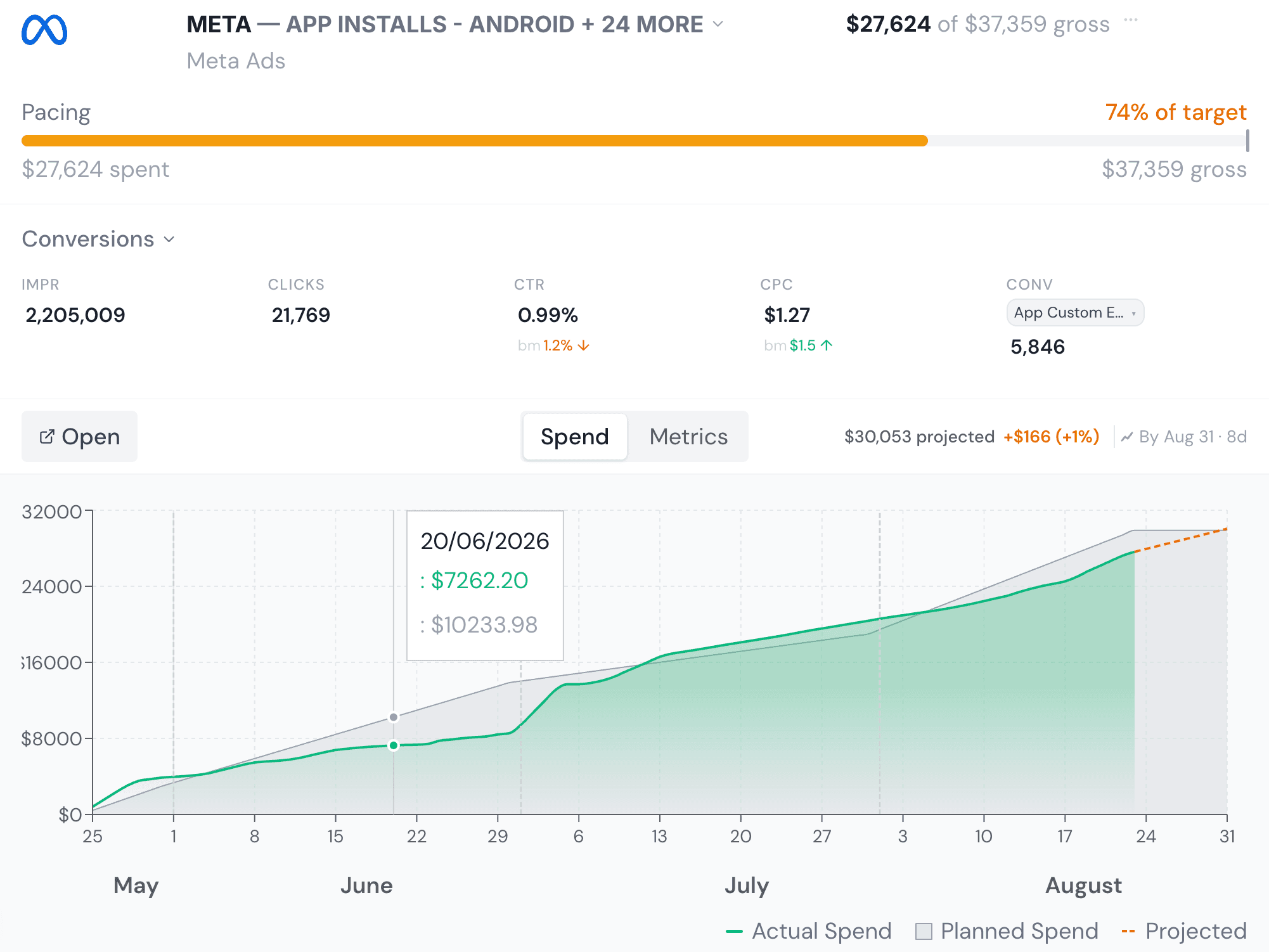
A campaign goes off-pace for one of two reasons: the market changed, or the setup was wrong from the start. The second cause is far more common than agencies like to admit, and it's almost always invisible in the metrics dashboard — the campaign just quietly overspends, underspends, or under-delivers, and nobody notices until the client asks why.
Here are the five setup mistakes we see break campaign pacing most often, roughly in the order they tend to get caught — which is to say, roughly in the order of how expensive they get before someone catches them.
1. Geotargeting drift
A campaign built for one country or region ends up serving impressions somewhere else entirely — most commonly because a location-targeting setting was left on "People in, searching for, or viewing pages about this location" (which includes intent-based expansion) instead of "People in this location," or because a saved audience or campaign was duplicated for a new market and one geotargeting field didn't get updated.
The result looks like a performance problem — a sudden change in CPC or conversion rate — when it's actually a targeting problem. It's also one of the fastest ways to blow through a market-specific budget on traffic the client will never convert, since the spend isn't wrong, the audience is.
2. Broken destination URLs
Ad platforms don't validate that a destination URL still resolves once a campaign is live — a landing page gets redesigned, a URL slug changes, a UTM parameter gets malformed, and the ad keeps serving and keeps spending against a dead page or a redirect loop. Click-through rate can look completely normal because the ad itself is fine; it's everything after the click that's broken.
This is the kind of error that's expensive specifically because nothing in the platform's own reporting flags it. CTR, CPC, and impressions all look healthy. Only conversion rate or actual site traffic reveals the gap, and by the time someone's watching that closely, budget has usually already been spent. Running live links through a UTM checker before launch catches the malformed-parameter version of this problem.
3. Daily budget where lifetime budget was intended (or the reverse)
This is the single most common cause of a campaign that overpaces late in its flight. A campaign scoped for, say, $3,000 across a six-week flight gets set up with a daily budget of $3,000/6 rather than a lifetime budget — which sounds equivalent until the platform's own pacing algorithm decides to front-load or back-load delivery within a day, or until someone edits the daily figure later without recalculating against the flight length. We cover the mechanics of this one in detail in Daily vs. lifetime budgets: how agencies accidentally overspend client accounts, because it deserves its own post. To see whether a live campaign is already off-pace, put spend-to-date and the flight dates into the free ad budget pacing calculator.
The inverse version — lifetime budget set on a campaign that should scale linearly with a monthly retainer — causes the opposite problem: the platform spends unevenly across the month, so a mid-month client check-in can show a campaign wildly under- or over-paced relative to a simple day-count expectation, even though the total will land on target by month-end.
4. Dayparting left over from a different campaign
Ad scheduling (dayparting) copied from a template or a previous campaign restricts delivery to hours or days that don't match the current flight's goals — a B2B lead-gen campaign still running only on the previous campaign's retail weekend schedule, for example. The campaign paces slowly not because demand is soft, but because it's only allowed to spend during a fraction of the week.
5. Conversion tracking that doesn't match what the client is optimizing for
The campaign is targeting one conversion action in the platform (say, "Add to cart") while the client's actual KPI is a different, later-funnel event (say, "Purchase"). Pacing and spend look fine; the platform is optimizing delivery correctly against the wrong goal. This one doesn't show up as a pacing anomaly at all — which is exactly why it survives so long.
Catching these before the client does
Every one of these is a setup problem, not a performance problem, which means none of them show up if you're only watching the top-line metrics. They show up when something is actually checking the account's configuration against what the campaign was supposed to be — geotargeting against the media plan's intended market, budget type against the flight length, destination URLs against what's actually live. For a manual pass, the free campaign setup checker walks through budget type, flight dates and tracking for a single campaign before launch.
That's the specific gap PlanPulse's Health Check Agent is built to close: point it at a live Google Ads or Meta campaign and it audits the setup itself — geotargeting, destination URLs, and budget type — against what the campaign was supposed to be, and flags the mismatch in plain English before it turns into a client conversation you didn't want to have.