21 PlanPulse features that replace your agency's spreadsheet stack
PlanPulse has 21 features across five areas: agency operations, media planning, analytics and performance, task management, and AI and reporting. Together they replace the spreadsheet-plus-calendar-reminder stack most agencies run on.
This post lists every one, what it does, and what it replaces. If you want the short version, the features page has it. This is the long version.
Agency operations: visibility across every client
1. Agency dashboard
A single view of every client with overdue alerts, pacing issues and upcoming launches, colour-coded so the accounts that need attention today sort themselves to the top.
Replaces: the mental model you currently hold in your head, plus the spreadsheet tab labelled "master".
2. Client management
Client profiles with logos, notes, account manager assignments and billing metadata. Filter the dashboard by account manager so each person sees their own book.
Replaces: a shared drive folder structure and tribal knowledge about who owns what.
3. Health check agent
An AI agent that audits campaign setup and answers questions about any client in plain English — current pacing, CPA against target, and which setup checks are still open.
Replaces: clicking through four ad accounts to answer one question.
Media planning: plan across every channel
4. Media plan builder
Build multi-channel media plans with budget allocation, flight scheduling and channel libraries. Import plans directly from existing spreadsheets rather than re-keying them.
Replaces: the media plan spreadsheet — and the version of it that's three revisions out of date.
5. Gantt timeline view
Every campaign flight on one interactive Gantt chart, with zoom controls, action point markers and sorting by start or end date.
Replaces: trying to understand channel overlap from a grid of dates.
6. Multi-channel support
Plan across paid digital (Google, Meta, TikTok, LinkedIn), organic social, email, OOH, display, native and traditional media in a single plan.
Replaces: one spreadsheet per media type, reconciled by hand.
Analytics and performance: what's actually happening
7. Channel performance cards
Per-channel analytics with spend charts, CTR, CPC and conversion trends, plus benchmark comparisons against industry averages.
Replaces: exporting CSVs from each platform and pivoting them together.
8. Pacing analysis
Tracks overspend and underspend in real time against the plan, and forecasts end-of-period spend from current run rate, with visual alerts when a campaign drifts off track.
Replaces: the monthly reconciliation where you find out what happened three weeks ago. See overpacing and underpacing.
9. Funnel analysis
Cross-platform conversion funnels with stage-by-stage metrics — impressions through to purchases, with cost and conversion rate at every step — so drop-off points are visible.
Replaces: a slide you rebuild by hand each month.
10. Period-over-period comparison
Compares current-period performance against the previous period across every metric and channel, so trends and regressions surface without manual maths.
Replaces: two exports and a calculator.
11. Anomaly detection
Automatic alerts when performance deviates from expected ranges, measured against a rolling baseline rather than a single fixed target. See anomaly detection and our write-up on catching CPA spikes early.
Replaces: noticing.
12. Platform integrations
Native connectors for Google Ads, Meta Ads and GA4. Spend data syncs automatically, so dashboards always reflect live numbers.
Replaces: manual exports, and the lag between "what happened" and "what you know".
Task management: nothing slips
13. Action points
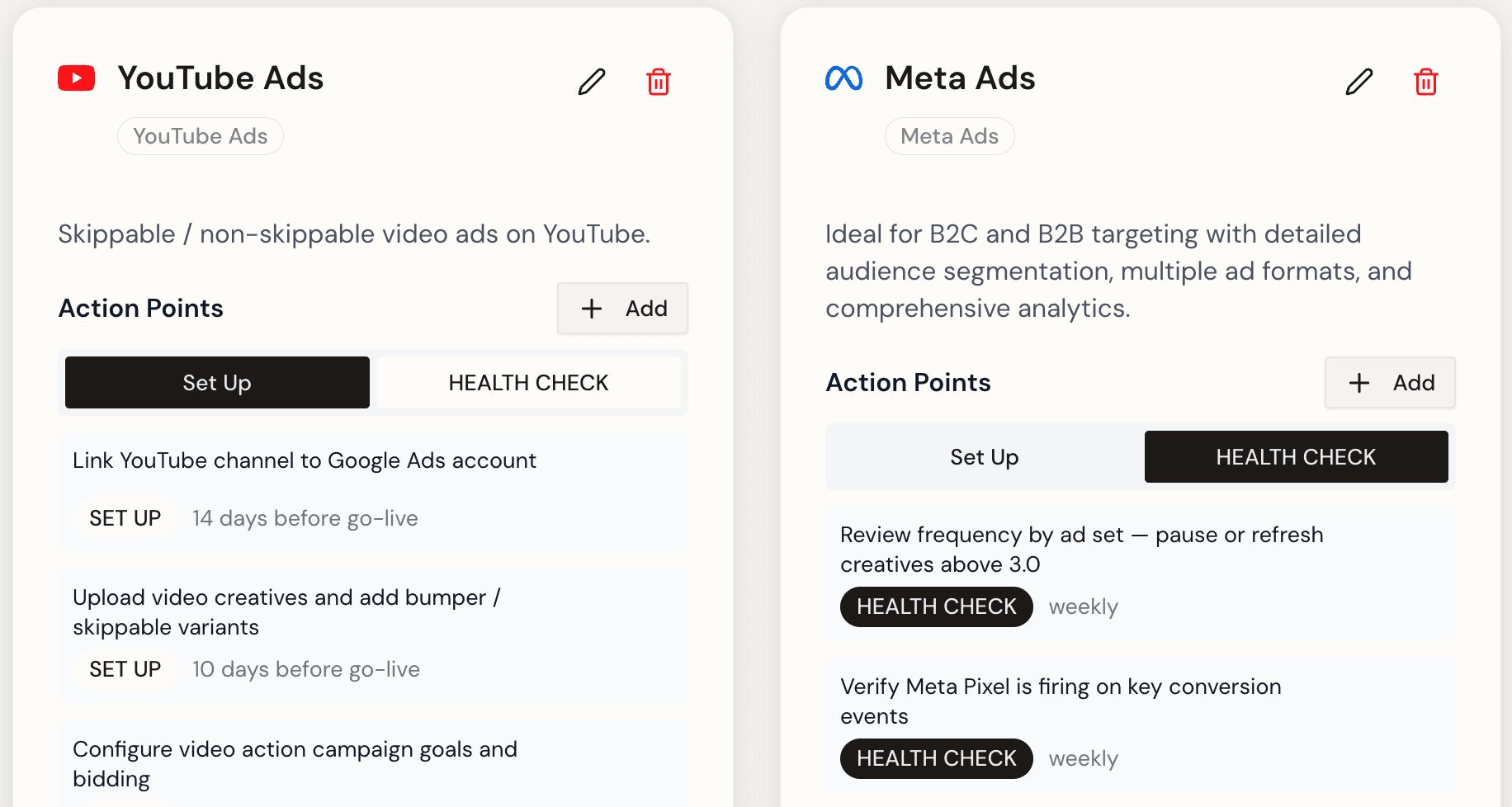
Two task types — SET UP (pre-launch) and HEALTH CHECK (recurring reviews) — with due dates calculated automatically from campaign dates. A channel added to the plan generates its own checklist. See action points.
Replaces: the launch checklist doc, and the assumption that everyone remembers it.
14. Kanban, list and timeline views
The same tasks in three views — Kanban board, flat list, Gantt timeline — so work surfaces wherever you happen to be looking.
Replaces: a separate project management tool that doesn't know anything about your campaigns.
15. Team assignment
Assign action points to team members and track completion. Overdue items are flagged automatically in the daily briefing.
Replaces: "did anyone do this?" in Slack.
AI and reporting: the grunt work
16. AI chat agent
Ask questions, request analysis and trigger actions in plain English. The agent has full context on your clients, campaigns and performance data — so "which accounts are underpacing this week" is a question you can just ask.
Replaces: half an hour of clicking.
17. Daily AI briefing
An automated morning summary delivered to Microsoft Teams or email, covering overdue tasks, pacing alerts, anomalies and upcoming launches across every client.
Replaces: the Monday morning scramble to work out where things stand.
18. PDF report export
Client-ready PDF reports with selected metrics, date ranges and your agency branding. White-label with your own logo on the Agency plan.
Replaces: rebuilding the same deck every month.
19. Client intelligence hub
Briefs, goals, competitive insights and audience research stored alongside campaign data, plus a shareable client portal.
Replaces: strategy context living in one person's inbox.
20. Invoice generator
Creates and tracks client invoices with commission rates calculated against media spend for the exact campaign period, with historical records.
Replaces: the month-end spreadsheet reconciliation between what was planned, what was spent, and what gets billed.
21. Playbook and channel library
A central, searchable library of SOPs, brand guidelines, channel specs and onboarding docs — and reusable channel templates with their own set-up and health-check action points attached. See channel library.
Replaces: rebuilding a channel's launch checklist from memory every time.
Which plan includes what?
| Plan | Clients / users | Key additions | Price |
|---|---|---|---|
| Starter | 5 clients · 2 users | Media plan builder, Google Ads + Meta sync, action points, client portal, daily AI briefing, PDF export | $99/mo |
| Growth | 15 clients · 5 users | GA4, unlimited action-taking AI chat, funnel analysis, anomaly detection, invoice generator, playbook library | $249/mo |
| Agency | Unlimited clients · 10 users | White-label reports, Slack integration, priority support, custom onboarding | $549/mo |
Annual billing is two months free on every tier. Full detail on the pricing page.
What PlanPulse deliberately doesn't do
Worth stating plainly, because it saves an evaluation call.
PlanPulse is not a DSP or an ad buying platform — you still buy in Google and Meta. It is not general accounting software, so it raises client invoices but doesn't run your ledger. And it doesn't handle RFP workflows, insertion orders or vendor bill reconciliation for traditional media buying.
If those are your core requirement, see our comparison of Bionic alternatives and agency media planning software.